Harold Nkemdirim
Room 114 · Floor 1
Heart rate bpm
74
SpO₂ %
96
Resp. br/min
18
Temp. °F
97.9
BP mmHg
118/76
Steps
1840
Remote patient monitoring for nursing homes
WatchMyVitals turns a phone at the bedside into a monitored bed. Vitals, falls and wandering reach the nurse station the second they happen — not at the next round.
No credit card. No hardware shipped until you say go.
Build a resident and watch it reach the stationAlice Whitfield
Room 112 · Floor 1
Heart rate bpm
68
SpO₂ %
97
Resp. br/min
16
Temp. °F
98.1
BP mmHg
122/78
Steps
412
 Falls
Falls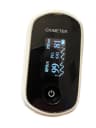 Oxygen
 Blood pressure
 Temperature
Not a video, and not a screenshot. Admit someone, fit their devices, take a reading, and see what the station does when they fall — in about ninety seconds, in your browser.
Nothing here is sent anywhere. This is a sandbox running entirely in your browser.
Hypertension
Devices
Monitoring · 9
Two halves of the same record: the readings a nurse would take on a round, and the events nobody is present for.
Detection runs on the wristband and the bedside phone, so it works during a Wi-Fi dropout and alerts locally the moment it fires.
Fall detection
Impact plus body-orientation confirmation, tuned on recorded real-world falls — not a raw accelerometer threshold.
Wristband SOS button
A resident presses; the station knows which room before anyone shouts.
Safe-zone exit
Resident leaves the defined area. Alerts the station, and family where the resident lives independently.
Watch left behind
The band stops reporting to its phone. You find out in about two minutes instead of at the next round.
Prolonged rest
Hours without movement trigger a gentle check-in prompt, with quiet hours respected.
mmHg
Blood pressure
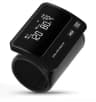
Upper-arm cuff
%
SpO₂
Fingertip oximeter
bpm
Heart rate
Oximeter or cuff
°F / °C
Temperature
Continuous patch
br/min
Respiration
Derived at the oximeter
steps
Activity and posture
B10 wristband
Six stages, from admitting a resident to billing for the month.
Enrol
Add the resident and their room.
Thresholds are set per person, not per facility.
Pair
Devices pair to the bedside phone.
No wiring, no server on site.
Stream
Readings arrive on their own.
Nothing is typed in by hand.
Watch
One station screen for every bed.
Colour and words, never colour alone.
Respond
Alarms name the room immediately.
Acknowledgement is logged against a name.
Bill
Monitoring days and clinical time accrue.
The record supports the monthly codes.
2026 codes, with the exclusivity rules enforced — 99445 against 99454, and 99470 against 99457. Move the sliders to your own census.
Estimated monthly billing
$6,943
$83,315 a year
Per-resident figures assume Part B billing. Residents in a covered Part A stay are subject to SNF consolidated billing, which generally bundles the device-supply codes.
Illustrative only, based on 2026 national non-facility averages. Actual payment varies by locality, payer and documentation. This is not billing advice — confirm against the current fee schedule and your own MAC before relying on it.
Rates last verified 2026-09
Four steps, in the order they happen. The two codes that changed for 2026 — 99445 and 99470 — are what make a partial month, or a short month of clinical time, worth billing at all.
Bill 99453 once, when the device is set up and the resident or the staff caring for them is taught to use it. It pays for the setup, not for the month.
Once per episode of care — not every month, and not again for a second device on the same episode.
One device-supply code per resident per 30 days, chosen by how many days actually transmitted: 99454 at 16 days or more, 99445 at 2 to 15. 99445 is new for 2026 and is what makes a partial month billable at all.
Mutually exclusive. Never both in the same 30-day window, however many devices the resident wears.
In 2026 both supply codes pay the same, so the days threshold decides which code you bill, not what you are paid for it.
One management code per calendar month, chosen by the time your staff logged: 99470 for the first 10 minutes, 99457 for the first 20. Both require at least one real-time, two-way conversation with the resident or their caregiver during the month.
Also mutually exclusive, and the interactive contact is not optional — logged review time alone does not support either code.
99458 covers each additional 20 minutes beyond the first 20, in whole increments.
An add-on to 99457 only. It cannot ride on 99470, so the 10-minute route caps what a heavy month can earn.
Long-term residents, billed under Part B
The codes above apply in the normal way. This is most of a typical facility's census, and it is the population the calculator models.
Residents in a covered Part A stay
During a skilled, post-hospital stay, SNF consolidated billing folds almost everything into the facility's prospective payment. The device-supply codes, 99454 and 99445, are generally bundled and are not separately billable. Practitioner management time — 99457, 99458 and 99470 — is a professional service, which consolidated billing excludes, so it can remain separately payable.
Specific capabilities, not adjectives. Every row is something you can ask any vendor to demonstrate.
Fall detection
WatchMyVitalsImpact plus orientation confirmation, on the wristband and phone
Typical RPM platformNot offered — vitals only
Works during a Wi-Fi dropout
WatchMyVitalsDetection runs on the phone; readings queue and backfill
Typical RPM platformCloud-side processing; a dropout is a gap in the record
Resident-initiated SOS
WatchMyVitalsButton on the wristband, routed with the room number
Typical RPM platformNot offered
Safe-zone exit and wandering
WatchMyVitalsAlerts the station, and family for independent living
Typical RPM platformNot offered
Per-resident thresholds
WatchMyVitalsSet per person at enrolment
Typical RPM platformCommonly one threshold set per facility
2026 codes 99445 and 99470
WatchMyVitalsModelled, with the exclusivity rules enforced
Typical RPM platformTypically still modelling 99454 and 99457 only
Three things we can state without a footnote.
3.4s
From fall detected to the station showing the room number.
1
Screens a nurse watches, however many residents are enrolled.
0
Readings typed in by hand.
The six that come up on every call.
Thirty minutes, your resident numbers, and a real station wall. If it does not earn its place on your floor, you will know inside the first ten.